
Introduction
Pinterest has become one of the most powerful platforms for driving long-term website traffic. While many people see it as a social media platform, Pinterest actually works more like a visual search engine where users search for ideas, products, tutorials, and inspiration.
For bloggers, online businesses, creators, and marketers, Pinterest offers a huge opportunity to attract consistent organic traffic. Unlike platforms where content disappears quickly, pins on Pinterest can continue bringing visitors to your website for months or even years.
This guide to Pinterest marketing will teach beginners everything they need to know about using Pinterest effectively.
From setting up your account to creating viral pins and mastering Pinterest SEO, this complete guide will help you build a strategy that drives traffic and grows your online presence.
If you are new to Pinterest marketing, this pillar post will serve as your step-by-step roadmap
If you’re new to Pinterest marketing, start with our complete guide to Pinterest marketing for beginners to understand how the platform works.
What is Pinterest Marketing?
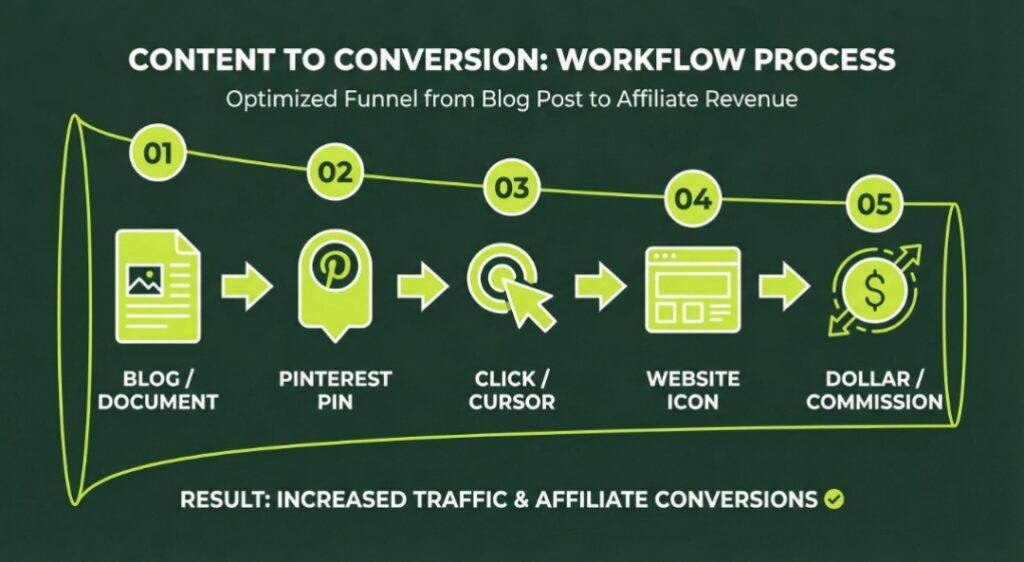
Pinterest marketing is the process of using Pinterest to promote content, products, services, or websites through visual posts known as Pins.
Each pin usually contains:
A visual image or graphic
A title
A description
A link to a website or blog
When users discover your pins through search or recommendations, they can click the pin and visit your website.
Pinterest users search for many different topics including:
Blogging tips
Home decor ideas
Recipes and cooking tutorials
DIY projects
Fashion inspiration
Technology tips
Business and marketing advice
Because Pinterest connects users directly to external websites, it has become a major traffic source for bloggers and online businesses.
Why Pinterest Marketing is Important
Many beginners focus only on platforms like Instagram or TikTok. However, Pinterest offers several advantages that make it extremely valuable for long-term marketing.
1. Pinterest is a Visual Search Engine
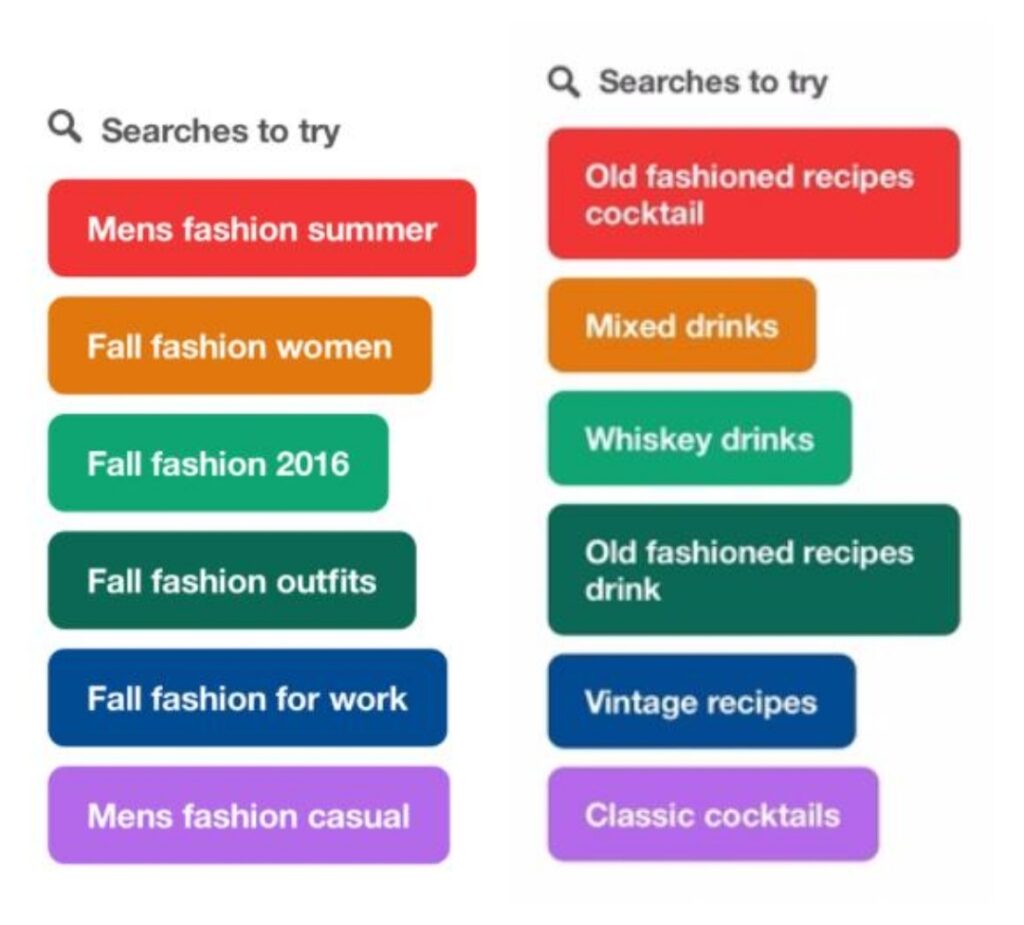
Pinterest works similarly to search engines. People type keywords into the search bar to find ideas.
For example, users may search for:
Pinterest marketing tips
Blogging for beginnersAI tools for productivity
Website security tips
When your pins are optimized with the right keywords, they can appear in search results and attract new visitors.
2. Pins Have a Long Lifespan
One of the biggest advantages of Pinterest marketing is that pins last much longer than typical social media posts.
On most platforms:
Posts disappear quickly
Engagement drops after a few hours
But on Pinterest:
Pins can rank in search results
Pins can go viral months later
Pins can drive traffic for years
This makes Pinterest one of the best long-term traffic strategies for websites.
To learn the full Pinterest strategy behind creating effective pins, check our guide to Pinterest marketing for beginners.
3. Pinterest Users Are Looking for Ideas
Pinterest users actively search for inspiration, information, and solutions.Many people use Pinterest to:
Plan projects
Learn new skills
Discover products
Research topics
Because users are already searching for ideas, they are more likely to click pins and explore websites.
4. Pinterest Drives High-Quality Traffic
Visitors from Pinterest are often highly interested in the topic they clicked.This means Pinterest traffic can lead to:
More blog readers
More product sales
More email subscribers
Higher engagement
For bloggers and marketers, this makes Pinterest a powerful marketing tool.
Understanding How Pinterest Works
To succeed with Pinterest marketing, it is important to understand the main elements of the platform.
Pins
Pins are the core content on Pinterest. They are images or videos that users share on the platform.Each pin typically includes:
A vertical image or graphic
A title
A description
A link to external content
When someone clicks a pin, they are redirected to the original website.
According to the official Pinterest business resource, marketers can use Pinterest to reach millions of users actively searching for ideas and products.
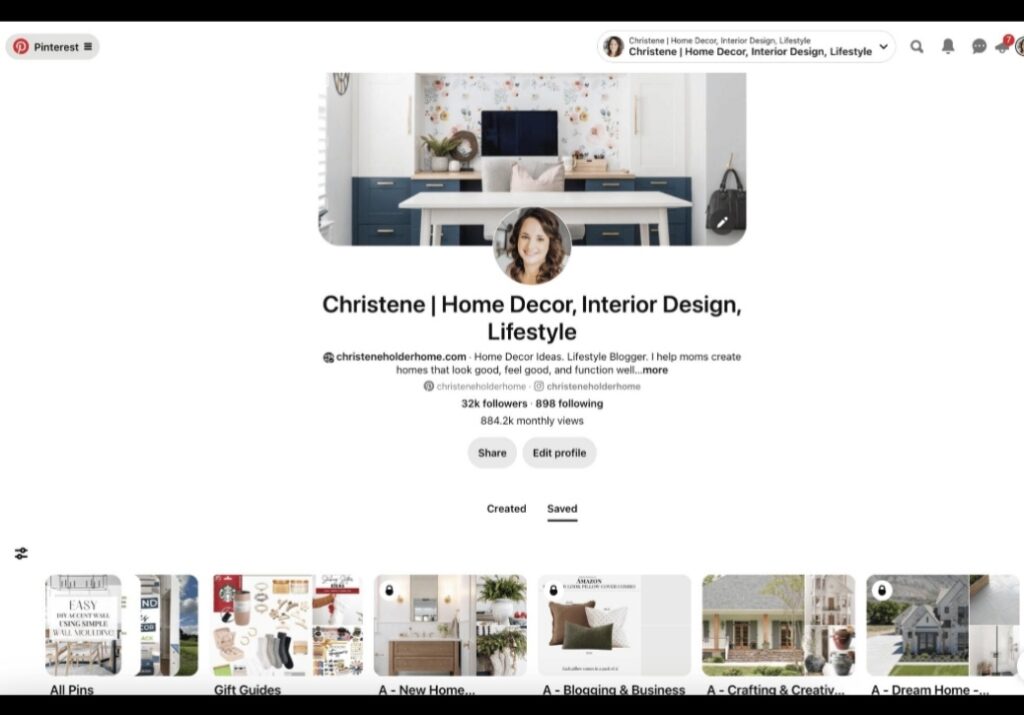
Boards
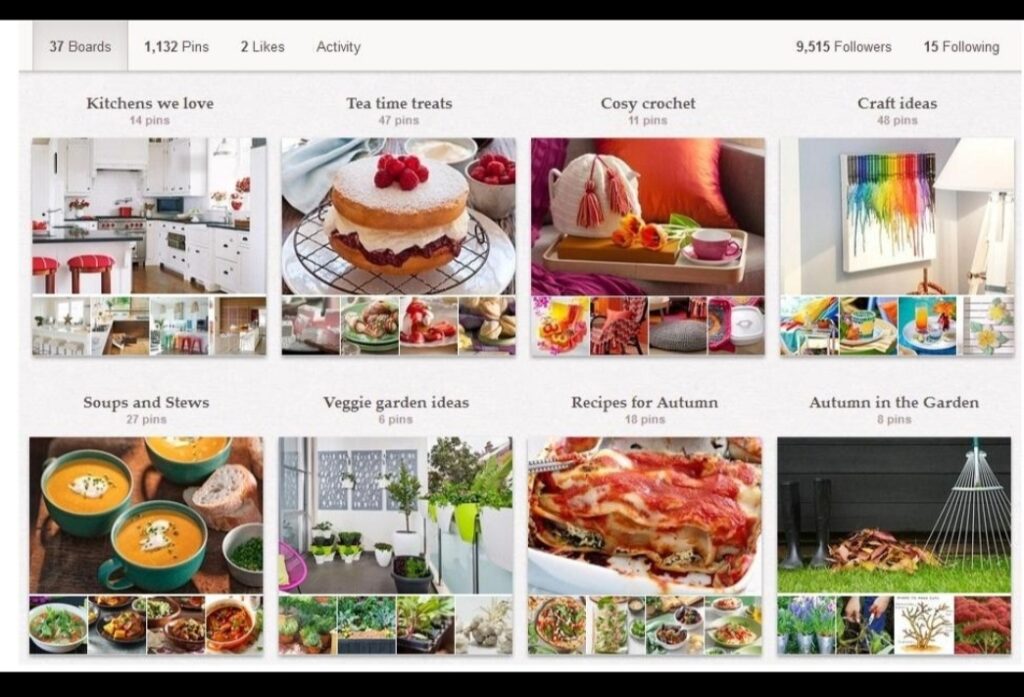
Boards are collections where pins are organized by topic.
Examples of boards include:
Digital marketing tips
Blogging strategies
AI tools
Social media growth
Boards help organize content and improve discoverability.
Repins (Saves)
When users save a pin to their board, it spreads the content to more people.The more saves a pin receives, the more likely it is to reach a wider audience.
Pinterest Algorithm
Pinterest uses an algorithm to decide which pins appear in search results and user feeds.The algorithm considers factors like:
Keywords in titles and descriptions
Pin quality
User engagement
Consistency of posting
Understanding these factors can help improve your Pinterest marketing results.
Setting Up a Pinterest Business Account
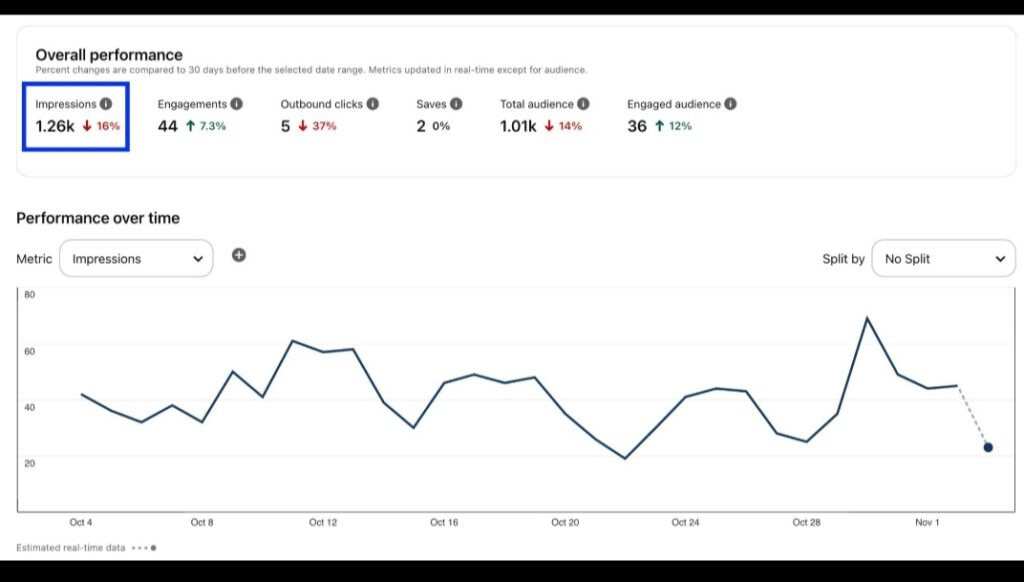
To take Pinterest marketing seriously, beginners should create a Pinterest Business Account.
A business account provides several advantages.
Benefits of a Business Account
Access to Pinterest analytics
Ability to run ads
Website tracking
Rich Pins support
Marketing insights
Managing multiple Pinterest boards and pin designs can take time, but automation tools can help. Learn how technology can help streamline your workflow in our guide on how ai can improve productivity
Steps to Create a Pinterest Business Account
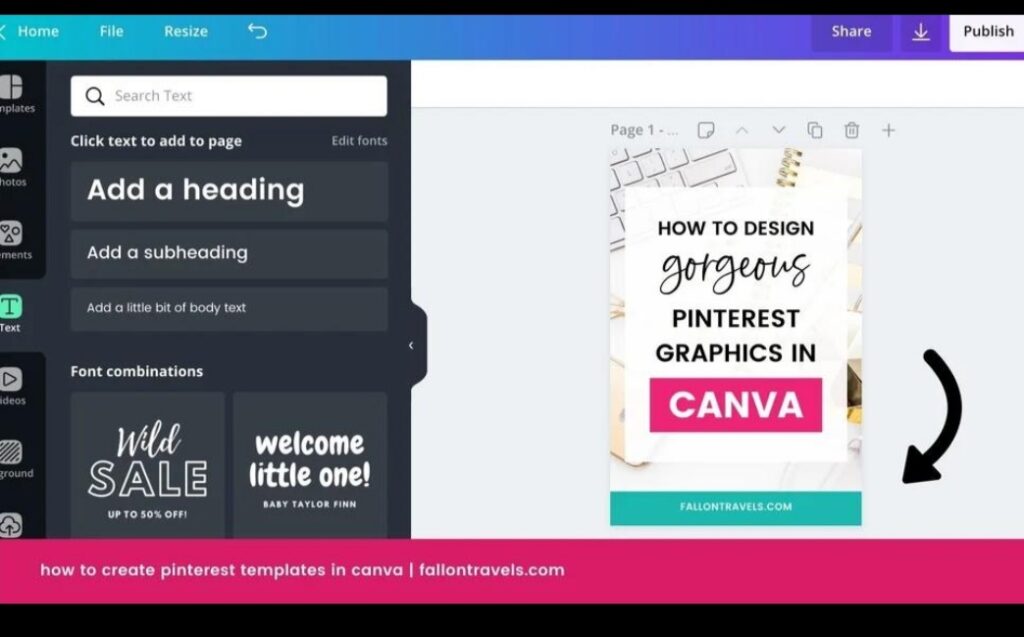
Visit Pinterest.com
Sign up for a new account or convert an existing account
Choose the business account option
Enter your business or website information
Verify your website
Once your account is ready, you can start creating boards and publishing pins.
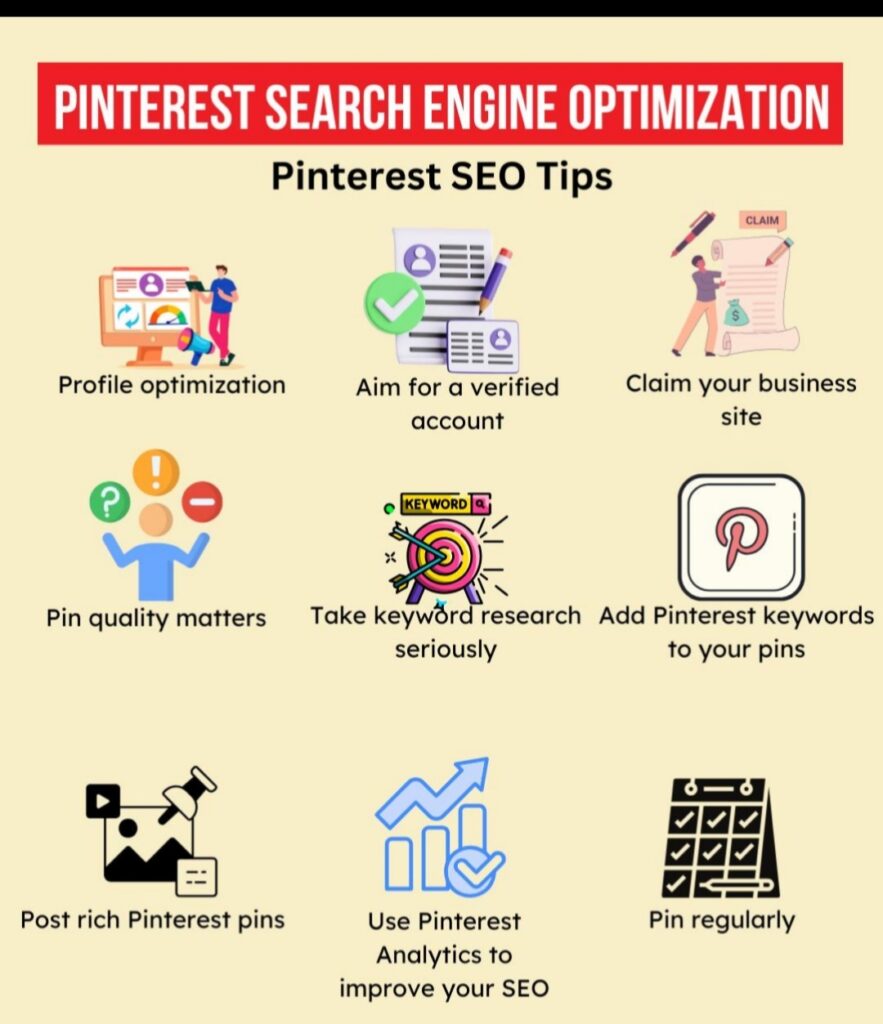
Pinterest SEO: The Key to Getting Traffic
Pinterest SEO is one of the most important parts of a successful Pinterest marketing strategy.SEO stands for Search Engine Optimization, and it helps your pins appear when users search for topics.
Keyword Research on Pinterest
Keyword research helps you discover what users are searching for.
To find keywords:
Open Pinterest search
Start typing a topic
Look at the search suggestions
These suggestions are popular search terms.
Example keywords:
Pinterest marketing tips
Pinterest traffic strategy
Pinterest marketing for beginners
Using these keywords helps your pins rank in search results.
Where to Use Pinterest Keywords
Keywords should appear in several places.
Pin Titles
Example:
Bad title
Marketing Tips
Good title
Pinterest Marketing Tips for Beginners
If you want to understand search optimization better, you can also explore beginner SEO resources from trusted platforms like Moz.
Pin Descriptions
Descriptions help Pinterest understand your content.
Example description:
Learn powerful Pinterest marketing strategies in this beginner guide.
Discover how to create viral pins, use Pinterest SEO, and grow your website traffic.
Board Names
Your boards should also contain keywords.
Examples:
Pinterest marketing tips
Blogging strategies
Social media growth
Profile Description
Your profile description should clearly explain your niche.
Example:
Sharing expert tips on Pinterest marketing, blogging, SEO, and digital growth strategies.
How to Create High-Quality Pinterest Pins
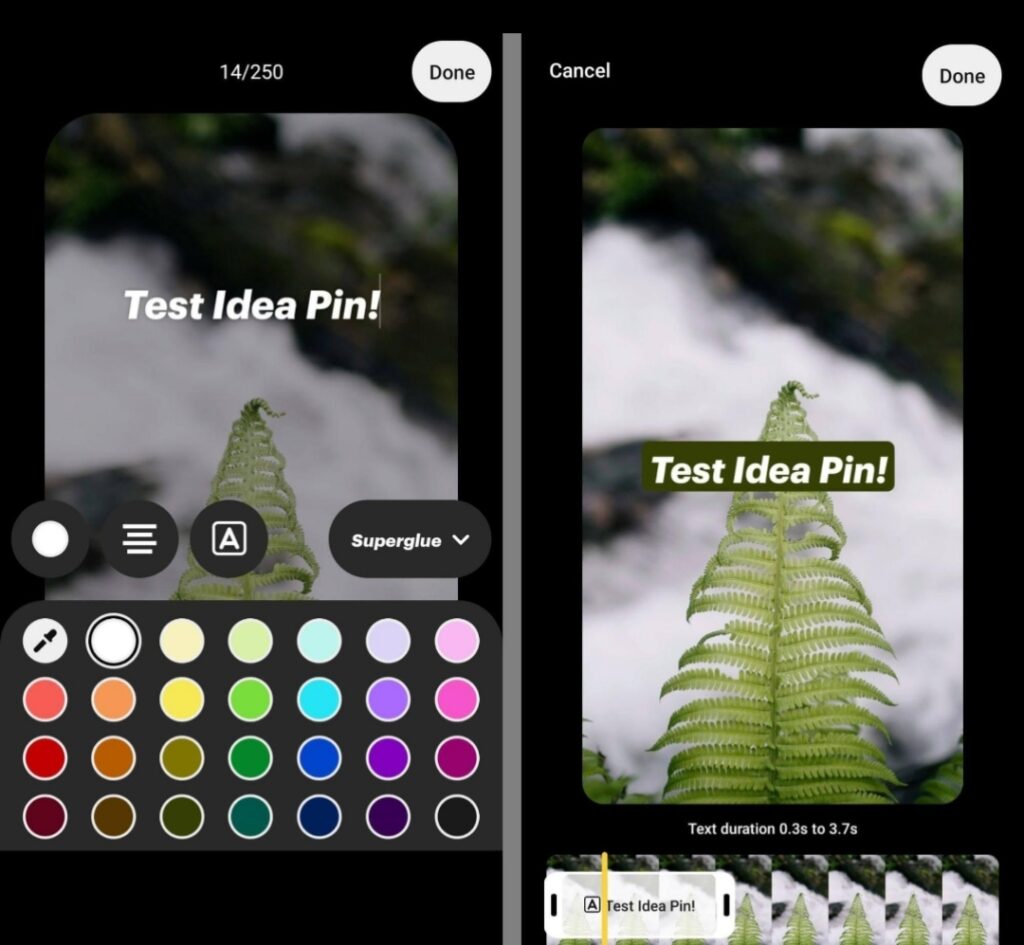
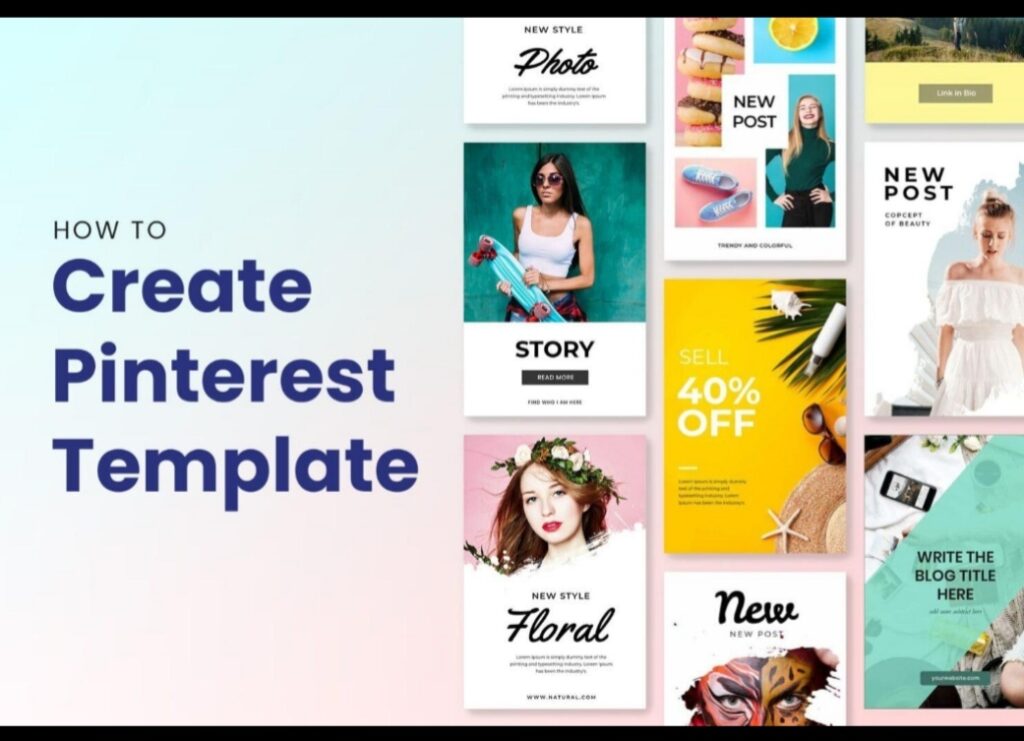
Design plays a major role in Pinterest success. Attractive pins receive more clicks and engagement.
Use Vertical Pin Sizes
Pinterest prefers vertical images.
Recommended size:1000 × 1500 pixels
Vertical pins take up more space on the screen and attract more attention.
Add Clear Text on Pins
Text helps users quickly understand what the pin is about.
Examples of good pin text include:
Pinterest Marketing Guide
How to Grow Blog Traffic
Beginner Pinterest Strategy
Clear text improves click-through rates.
Use Bright and Eye-Catching Colors
Bright colors stand out in Pinterest feeds.
Avoid dull or low-contrast designs.
Use High-Quality Images
Good images make your pins look professional.You can create pins using tools like:
Design software
Stock photos
Custom graphics
Creating an Effective Pinterest Marketing Strategy
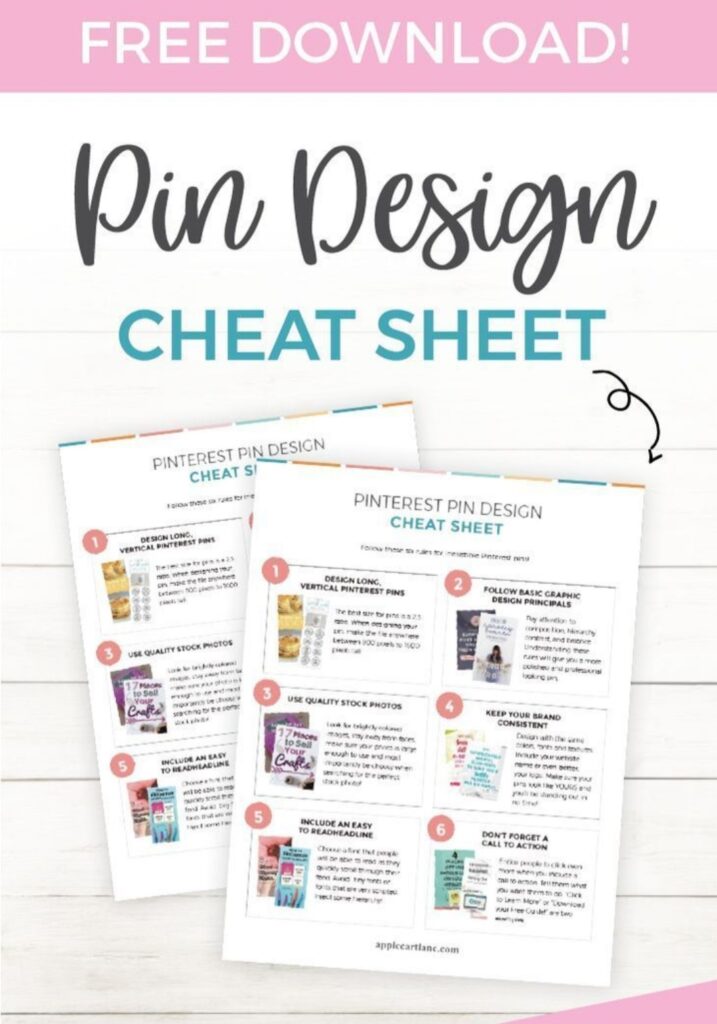
A strong strategy helps you stay consistent and grow faster on Pinterest.
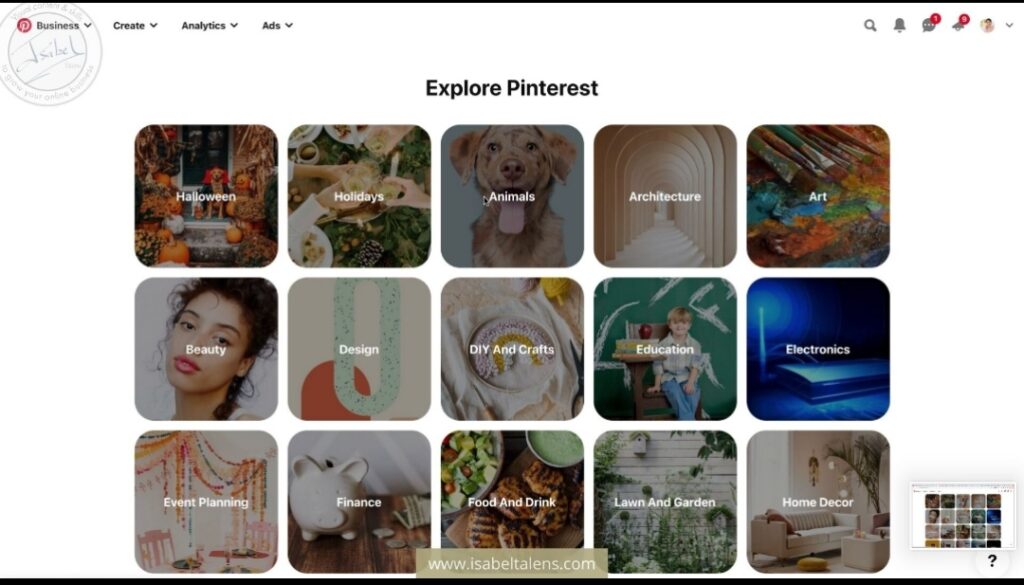
Step 1: Choose Your Niche
Focus on a specific topic.
Examples include:
Blogging
Technology
Marketing
Productivity
Lifestyle
Choosing a niche helps attract the right audience.
Step 2: Create Multiple Boards
Create 10 to 15 boards related to your niche.
Example boards:
Blogging tips
Digital marketing
Social media growth
Pinterest marketing
These boards help organize your pins and improve discoverability.
Step 3: Publish Multiple Pins for Each Post
Instead of creating one pin per blog post, create multiple pin designs.
Example:
One blog post → 5 different pins.This increases visibility.
Step 4: Pin Consistently
Consistency is key on Pinterest.
Recommended schedule:
5 to 10 pins per day
Consistent activity helps your account grow faster.
Step 5: Analyze Performance
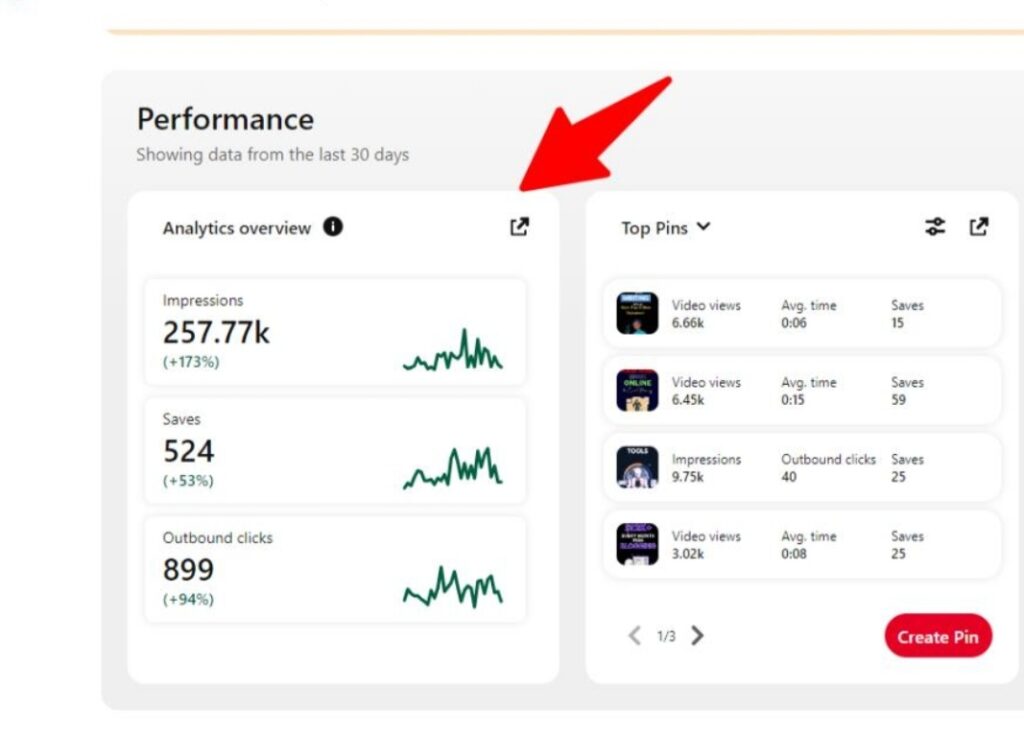
Pinterest analytics shows which pins perform best.Metrics to track include:
Impressions
Saves
Link clicks
Engagement
Use this information to improve your strategy.
Many people manage Pinterest from their smartphones, so it’s important to recognize potential security threats. Our article on signs your phone has been hacked explains warning signs you should never ignore.
Best Pinterest Marketing Tools
Using the right tools can save time and improve your results.
Design Tools
Design tools help create professional pins quickly.These tools offer:
Ready-made templates
Graphics and fonts
Easy editing features
Creating attractive pins is easier when you use modern design tools. Our article on AI tools for graphic design explains how AI-powered platforms can help you create professional Pinterest graphics quickly.
Scheduling Tools
Scheduling tools allow you to plan and publish pins automatically.
Benefits include:
Consistent posting
Time savings
Organized work
flows
Analytics Tools
Analytics tools help track performance.They provide insights into:
Top pins
Audience engagement
Traffic sources
These insights help refine your marketing strategy.
Common Pinterest Marketing Mistakes
Many beginners make mistakes that slow down their growth.
Ignoring Keywords
Without keywords, your pins may never appear in search results.
Always use relevant keywords
Posting Poor Quality Pins
Low-quality images reduce engagement.
Focus on professional designs.
Inconsistent Posting
Posting rarely can limit growth.
Consistency helps the Pinterest algorithm trust your account.
Not Linking to Valuable Content
Every pin should lead to helpful content.This improves user experience and builds trust.
Advanced Pinterest Marketing Tips
Once you understand the basics, you can improve your results with advanced strategies.
Create Fresh Pins Regularly
Pinterest prefers fresh content.Creating new pin designs for old posts can increase reach.
Optimize Old Pins
Update older pins with:
Better keywords
Improved images
Updated descriptions
Join Group Boards
Group boards allow multiple users to share pins.This can increase visibility.
Use Seasonal Trends
Pinterest users search for seasonal content such as:
Holiday ideas
New year planning
Summer activities
Creating seasonal pins can attract large traffic spikes.
How Pinterest Marketing Can Grow Your Website
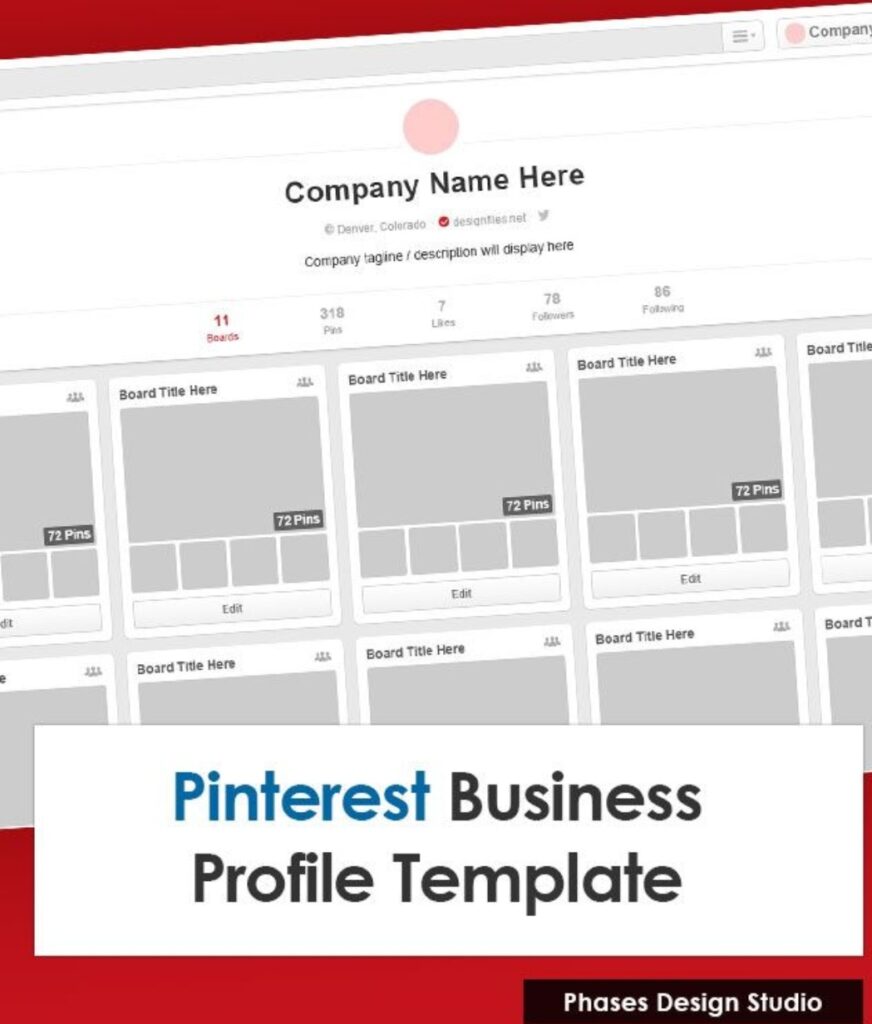
Pinterest can support many online goals.
Driving Blog Traffic
Bloggers use Pinterest to attract readers to their posts.One viral pin can bring thousands of visitors.
Promoting Products
Online stores can showcase products through visually appealing pins.
Pinterest users often discover products while browsing ideas.
Building Brand Awareness
Consistent pinning helps build recognition for your brand.Over time, users become familiar with your content.
Growing an Email List
Many marketers use Pinterest to promote:
Free guides
Checklists
Resources
These offers help grow email subscribers.
Future of Pinterest Marketing
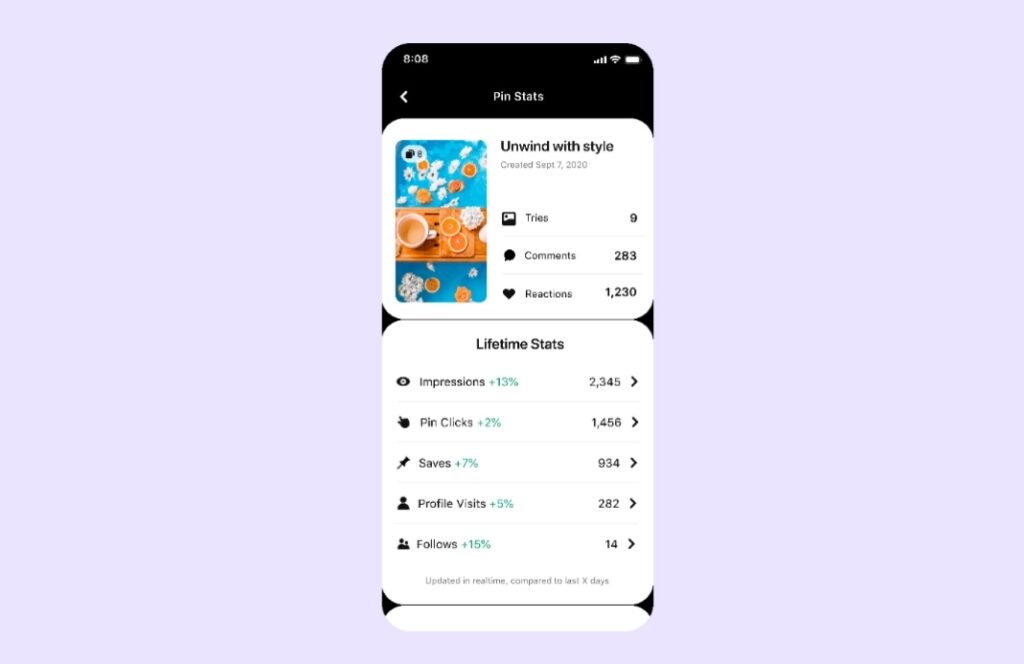
Pinterest continues evolving with new features and tools.Future trends may include:
More video pins
Improved shopping features
Better analytics tools
Enhanced AI recommendations
Businesses and creators who start using Pinterest now can benefit from long-term growth opportunities.
Frequently Asked Questions About Pinterest Marketing
Many beginners have questions when they first start using Pinterest for marketing. Understanding how the platform works can help you build a stronger strategy and avoid common mistakes.
In this section of the guide to Pinterest marketing, we answer some of the most common questions beginners ask about growing traffic and using Pinterest effectively.
Is Pinterest good for website traffic?
Yes, Pinterest can be an excellent source of website traffic. One important point mentioned in every guide to Pinterest marketing is that Pinterest works more like a search engine than a traditional social media platform. Users actively search for ideas, tutorials, and helpful resources. When your pins are optimized with the right keywords and attractive visuals, they can appear in search results and bring visitors to your website.Unlike posts on many social platforms that disappear quickly, Pinterest pins can continue driving traffic for months or even years. This long lifespan makes Pinterest especially useful for bloggers and online businesses.
How long does it take to see results from Pinterest marketing?
Many beginners expect immediate results, but Pinterest growth usually takes time. According to most strategies explained in a guide to Pinterest marketing, it may take several weeks or even a few months before your pins begin to gain consistent visibility.The key is consistency. If you continue creating quality pins, using relevant keywords, and posting regularly, Pinterest will gradually learn what your content is about and begin showing it to users who are searching for similar topics.
How many pins should I post daily?
Posting consistently is one of the most important strategies in any guide to Pinterest marketing. Many experts recommend posting between five and ten pins per day. This helps keep your account active while giving Pinterest more content to distribute across the platform.However, quality is more important than quantity. A few well-designed pins with clear titles and keywords will perform better than many low-quality pins. Beginners should focus on creating helpful and visually appealing content.
Do I need a Pinterest business account?
Yes, using a business account is highly recommended if you plan to use Pinterest for marketing. A business account provides access to analytics and insights that help you understand how your pins are performing.Most tutorials in a guide to Pinterest marketing recommend switching to a business account because it allows you to track impressions, saves, link clicks, and engagement. These insights help you see which pins attract the most attention and which strategies are working best.
Can Pinterest help grow a new blog?
Yes, Pinterest is one of the best platforms for growing a new blog. Even small websites with little traffic can gain visibility if they create helpful content and attractive pins. A well-written guide to Pinterest marketing often emphasizes that Pinterest focuses on content quality and relevance rather than follower counts.This means a beginner with a new blog can still reach a large audience if their pins match popular searches and provide useful information.
What type of content performs best on Pinterest?
Pinterest users are often searching for solutions, inspiration, or educational content. Blog posts that include guides, tutorials, tips, and step-by-step instructions tend to perform very well.In most cases, a guide to Pinterest marketing will recommend creating content that solves a specific problem or teaches something valuable.
Examples include marketing tips, productivity ideas, technology guides, recipes, DIY tutorials, and design inspiration.
Do Pinterest followers matter?
Followers can help increase your reach, but they are not the most important factor on Pinterest. The platform focuses heavily on search results and recommendations. According to many strategies shared in a guide to Pinterest marketing, even accounts with few followers can still gain large amounts of traffic if their pins are properly optimized.Because of this, beginners should focus more on creating high-quality pins and using the right keywords rather than worrying too much about follower numbers.
By understanding these common questions and answers, beginners can gain confidence and avoid many early mistakes.
Following the advice in this guide to Pinterest marketing will help you build a stronger strategy, attract more visitors, and grow your website traffic over time.
Final Thoughts
Pinterest is one of the most powerful platforms for long-term traffic growth. By following the strategies in this guide to Pinterest marketing, beginners can build a strong presence, attract new audiences, and grow their websites.Success on Pinterest requires:
Consistent pinning
High-quality designs
Effective keyword use
A clear marketing strategy
Over time, your pins can become a steady source of traffic and visibility.If you stay consistent and focus on creating valuable content, Pinterest marketing can become a major driver of growth for your website.
If you want to learn practical methods for increasing visitors, check out our complete guide on how to get traffic from Pinterest, where we explain proven strategies for driving consistent blog traffic.