

- Want to Make Money Online? Try This Proven Method - August 20, 2026
- The Best Way to Turn Your Dreams Into Reality - July 18, 2026
- The One Thing Poor People Must Understand to Change Their Lives - July 15, 2026
If you’ve ever felt like your content is getting lost online with little to no visitors, learning how to get traffic from Pinterest can feel like finally finding a hidden road that leads people straight to your work.
Many creators start with zero views, posting pins and hoping something goes viral, but the truth is Pinterest works more like a search engine than social media,meaning consistency, strong keywords, and visually appealing pins can slowly but surely bring in steady traffic over time.
Even if you’re starting small or struggling to grow your blog, website, or business, every pin you create is like planting a seed that can keep bringing visitors long after you’ve posted it.
The key is not giving up too early; instead, focus on learning what your audience is searching for, design simple but eye-catching visuals, and stay consistent.
Over time, what once felt like invisible effort can turn into a powerful stream of daily traffic that changes everything for your online journey.
Pinterest is more than just a platform for recipes and DIY projects. It is one of the most powerful search engines for bloggers and website owners. If used correctly, it can drive thousands of visitors to your website every month.
In this guide, you will learn how to get traffic from Pinterest, even if you are a beginner with a new blog.
Why Pinterest Is Powerful for Website Traffic
Unlike social media platforms where posts disappear quickly, Pinterest works like a visual search engine. Pins can continue bringing traffic for months or even years.
Here are a few reasons bloggers love Pinterest:
Pins can go viral long after publishing
Pinterest users actively search for ideas
It works well for blogs, affiliate marketing, and online businesses
It can drive consistent free traffic
Many bloggers report that Pinterest is their #1 traffic source.
1. Create a Pinterest Business Account
Creating a Pinterest Business Account is one of the smartest steps you can take if you want to grow your online presence and start attracting real, targeted traffic.
Unlike a personal account, a business account gives you access to powerful tools like analytics, audience insights, and the ability to promote your pins so more people can discover your content.
It also helps you build credibility because your profile looks more professional, making users more likely to trust and follow you.
For someone trying to grow a blog, online store, or brand, this simple switch can feel like unlocking a new level.
You’re not just posting pins randomly, you’re strategically reaching people who are already searching for what you offer.

If you want to get traffic from Pinterest, the first step is to create a Pinterest Business account.
Benefits include:
Access to Pinterest Analytics
Ability to claim your website
Access to rich pins
Better visibility in search results
Steps:
Go to Pinterest
Sign up or convert your account to a Business Account
Add your website URL
Verify your website
This helps Pinterest trust your content and rank your pins better.
2. Optimize Your Pinterest Profile for SEO
Optimizing your Pinterest profile for SEO is one of the most important steps if you want your content to actually get discovered instead of being ignored.
It starts with using clear, searchable keywords in your name, bio, and profile description so that people can easily find you when they search for related topics.
Think of it like helping Pinterest understand exactly what your account is about,whether it’s blogging, fashion, business, or motivation.
Adding a high-quality profile picture and organizing your boards with keyword-rich titles also improves your visibility.
When your profile is properly optimized, you stop depending on luck and start showing up in search results consistently, making it easier for your pins to reach the right audience and bring steady traffic to your content.
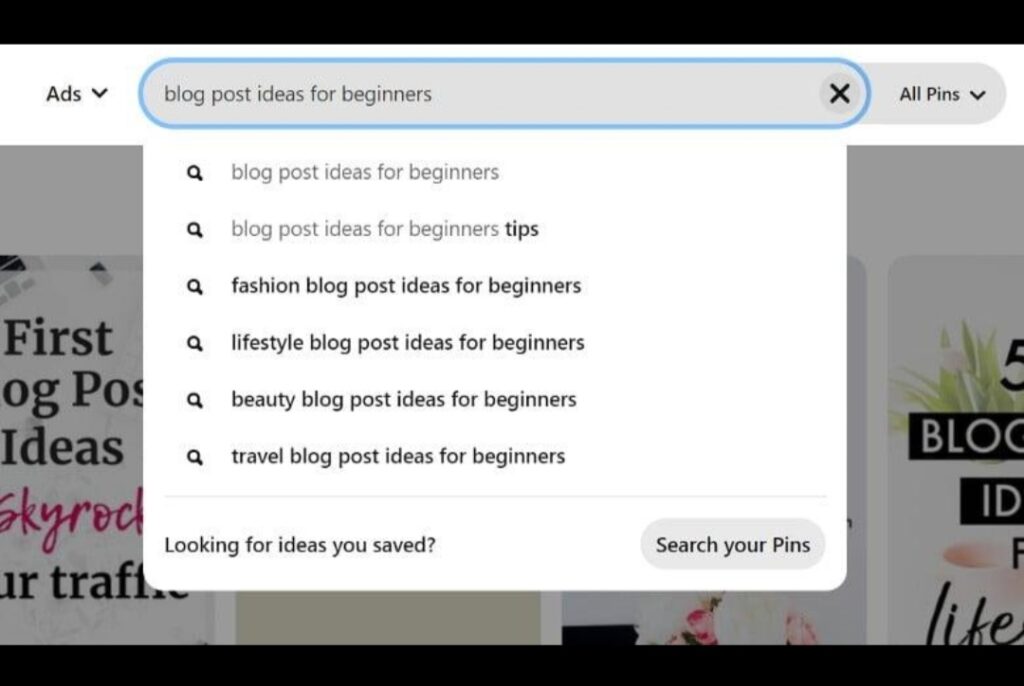
Pinterest is a search engine, so keywords are extremely important.
Add keywords to:
Your profile name
Your bio
Your board titles
Your board descriptions
Example:
Instead of writing:
“Welcome to my Pinterest”Write something like:“Helping bloggers learn SEO, blogging tips, and how to get traffic from Pinterest.”This tells Pinterest exactly what your account is about.
3. Create Eye-Catching Pins
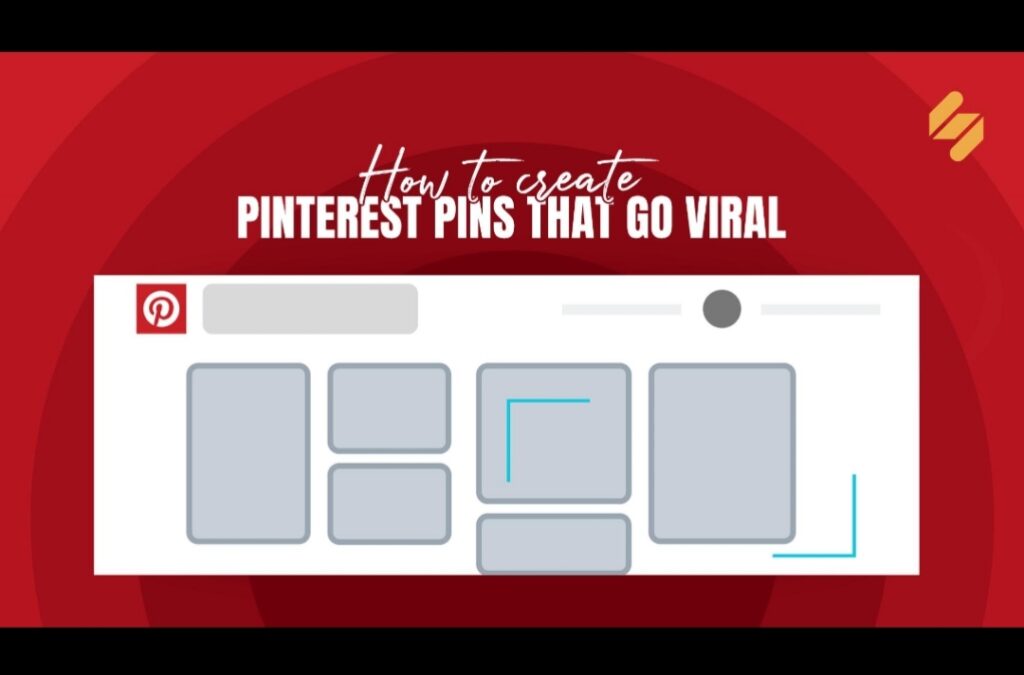
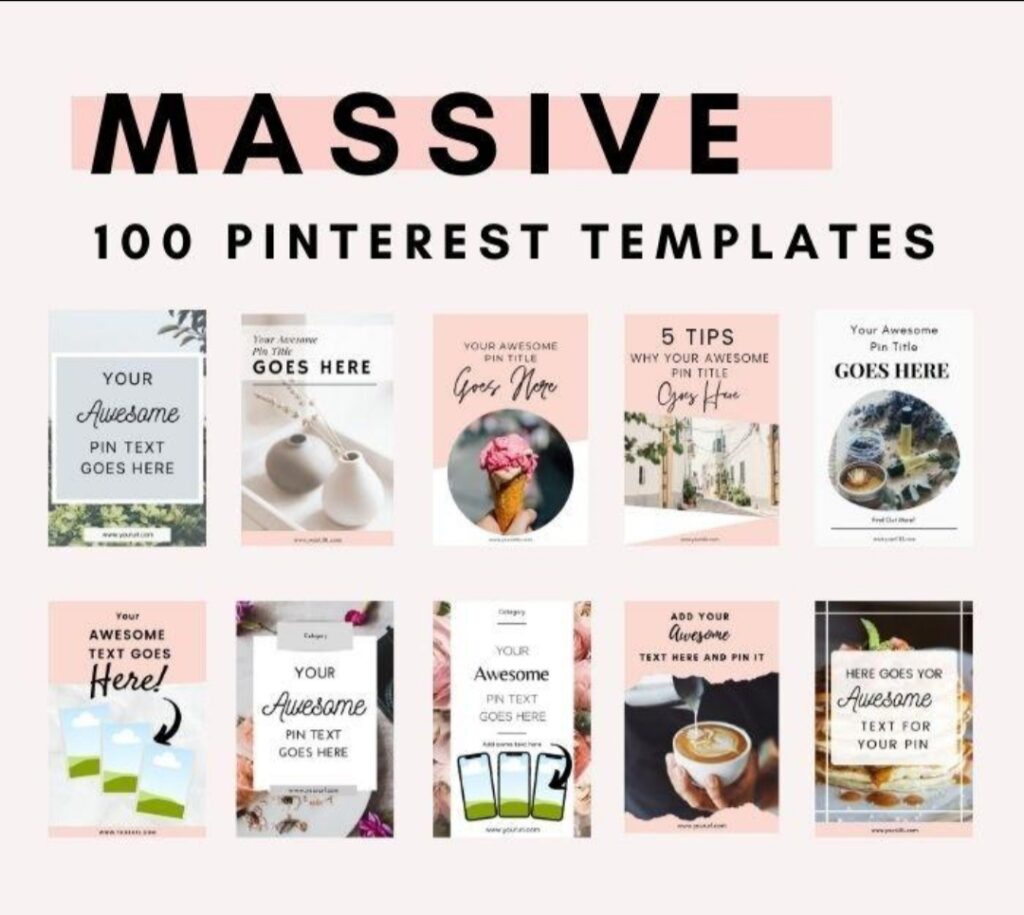
Pinterest is a visual platform, so the design of your pin matters a lot.
Tips for high-performing pins:
Use vertical images (1000 × 1500 pixels)
Add bold readable text
Use bright colors
Include your blog title
Add your website logo or URL
Example pin title:
How to Get Traffic From Pinterest Fast
10 Pinterest Tips That Bring Blog Visitors
You can design pins using tools like:
Canva
Adobe Express
Photoshop
Creating multiple pins for one blog post can increase traffic significantly.
4. Use Keyword-Rich Pin Titles and Descriptions
Pinterest ranks content based on keywords.For every pin, include:
Pin Title Example
How to Get Traffic From Pinterest for Beginners
Pin Description Example
Learn how to get traffic from Pinterest with simple strategies that help bloggers grow their website fast.
Discover Pinterest SEO, pin design tips, and traffic strategies.Also include relevant keywords naturally.
5. Join Pinterest Group Boards
When I first started trying to grow my content online, I felt like I was talking to an empty room,posting pins on Pinterest but barely getting any views.
I remember spending hours designing content, only to see just a few impressions, and it honestly felt discouraging.
Then I came across the idea of joining group boards, and at first, I didn’t think much of it. But everything changed when I finally joined a few active boards in my niche.
Suddenly, my pins were no longer sitting in isolation,they were being seen by thousands of people who were already interested in the same topics.
One of my pins even started getting saved repeatedly, bringing in consistent traffic without me doing anything extra.
That experience taught me that sometimes growth isn’t about working harder alone, but about placing your content where the right audience already exists.
Group boards allow multiple creators to share content on one board.
Benefits:
Your pins reach more audiences
Higher chances of repins
Faster traffic growth
Search for boards related to your niche like:
Blogging tips
Online business
Social media marketing
Tech and AI tools
Then request to join the board.
6. Pin Consistently
Consistency matters on Pinterest.Instead of posting many pins once a week, it is better to pin daily.
Recommended schedule:
5 – 15 pins per day
These can include:
Your own blog pins
Other people’s pins
New designs for old blog posts
Tools like Tailwind can help automate pin scheduling.
7. Create Multiple Pins for Each Blog Post
One mistake many beginners make is creating only one pin per blog post.Instead, create 5–10 different pin designs for the same article.
Change:
Colors
Fonts
Headlines
Images
Example headlines:
How to Get Traffic From Pinterest
Pinterest Traffic Strategy for Bloggers
Grow Your Blog With Pinterest
More pins = more chances to rank in search results.
If you’re new to blogging tools, check out our guide on AI Tools for Graphic Design to create stunning Pinterest pins easily.
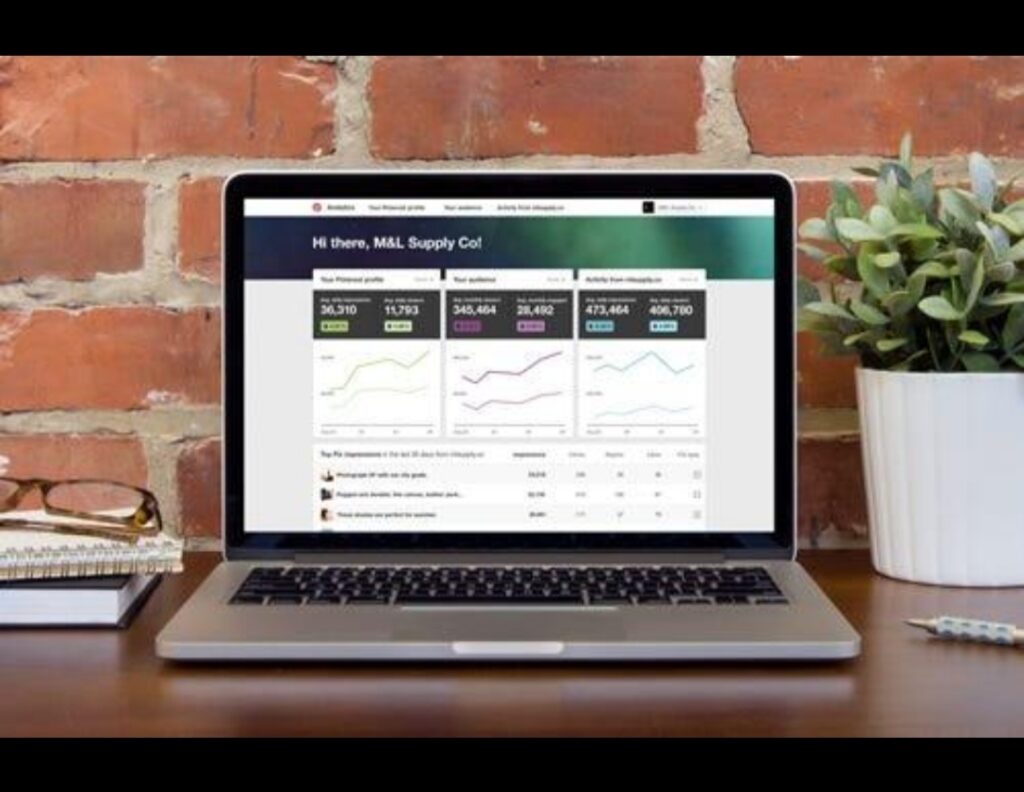
8. Use Pinterest Analytics
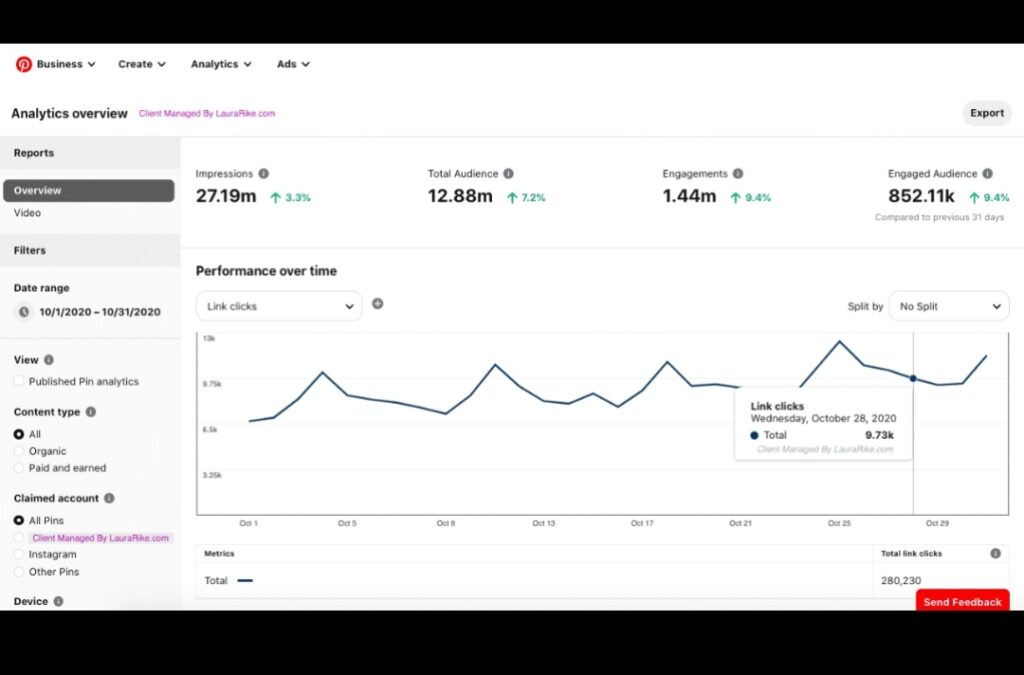
Using Pinterest Analytics is one of the smartest ways to stop guessing and start growing with real data.
Instead of posting randomly and hoping for results, analytics shows you exactly what is working,what pins people are saving, which boards are performing well, and what type of content brings the most clicks to your website.
This helps you understand your audience better and focus your energy on content that actually drives traffic. For beginners, it may look a little technical at first, but once you start paying attention to impressions, engagement, and top-performing pins, you begin to see a clear pattern.
Over time, using Pinterest Analytics turns your strategy from trial-and-error into a focused system that steadily increases your visibility and results.

Pinterest provides built-in analytics that shows:
Impressions
Saves
Link clicks
Top performing pins
Check analytics regularly to see:
Which pins bring the most traffic
Which topics perform best
Then create more content similar to the winning pins.
9. Focus on Evergreen Content
Evergreen content performs best on Pinterest.
Examples:
Blogging tips
Online business guides
AI tools
Productivity tips
Social media growth
These topics remain relevant for years and can keep sending traffic continuously.
According to the official Pinterest business guide, you can learn more about Pinterest marketing strategies on Pinterest Business, where they provide tools, tutorials, and best practices for growing traffic using the platform.
10. Be Patient and Consistent
Pinterest traffic usually takes 1–3 months to grow.But once your pins start ranking, traffic can increase rapidly.
Many bloggers go from:
0 visitors to thousands of monthly visits just by using Pinterest correctly.
To understand how visual search works, you can read Pinterest marketing tips from trusted digital marketing resources like Hootsuite, which regularly publishes guides and strategies on how to use Pinterest effectively for traffic and brand growth.
Common Problems You May Encounter on Pinterest
When growing on Pinterest, many beginners face challenges that can feel discouraging at first, such as low impressions, slow follower growth, or pins that don’t get saved despite putting in a lot of effort.
Sometimes the issue is inconsistent posting, while other times it’s poor keyword usage or unappealing pin designs that fail to attract attention.
Another common problem is misunderstanding how Pinterest works, expecting instant results like other social media platforms, when in reality it takes time for content to gain traction.
You may also struggle with choosing the right niche or not knowing what your audience actually wants.
However, these problems are normal in the beginning, and with patience, consistent learning, and better optimization strategies, they can be turned into stepping stones toward steady growth and long-term success.
Final Thoughts
Learning how to get traffic from Pinterest can transform your blog. With the right strategy, Pinterest can send consistent visitors to your website without paying for ads.
Focus on:
Pinterest SEO
High-quality pin designs
Consistent posting
Keyword optimization
Over time, your pins can become powerful traffic sources that continue bringing visitors for months or even years.
After learning how to get traffic from Pinterest, you can increase productivity using tips from our guide on How AI Can Improve Productivity.
